
Everyone needs these
- Your Unique Taxpayer Reference (UTR), 10 digits. See how to find your UTR number.
- Your National Insurance number.
- Your Government Gateway user ID and password with Self Assessment added, so the return can be filed. See Government Gateway for Self Assessment.
- Your bank details, in case HMRC owes you a refund.
- Last year’s return or tax calculation, if you filed one. It helps you spot anything missing.
Records by type of income
| If you had… | Gather | Page it goes on |
|---|---|---|
| A job or director’s salary | P60 (or P45 if you left), P11D for benefits, receipts for work expenses you paid | SA102 employment |
| Self-employment | Sales and income records, business expenses, mileage, equipment bought | SA103 self-employment |
| A share of a partnership | Your share from the partnership statement and the partnership UTR | SA104 partnership |
| Rental income | Rent received, letting agent statements, repairs and costs, mortgage interest statement | SA105 UK property |
| Sales of shares, property or crypto | Dates, sale and purchase prices, and costs of buying and selling | SA108 capital gains |
| Savings and investments | Bank and building society interest statements, dividend vouchers | Main return (SA100) |
| Pensions | P60 from each pension, and your State Pension amount for the year | Main return (SA100) |
| Income from abroad | Foreign income amounts and any foreign tax paid | SA106 foreign pages |
Payments that can cut your tax
- Personal pension contributions you paid yourself (not through your employer’s payroll).
- Gift Aid donations to charity.
- Student loan plan type, if you have a student or postgraduate loan.
- Child Benefit received, if your income was over £60,000.
- Any payments on account you already made for the year.
How the software uses this
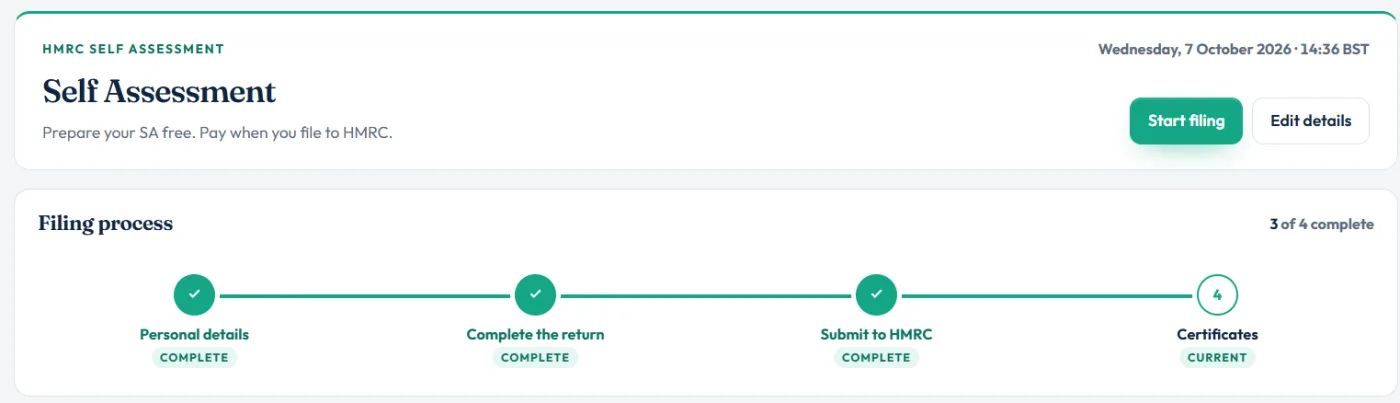
The dashboard follows four steps: Personal details, Complete the return, Submit to HMRC and Certificates. Your UTR and National Insurance number go in personal details. Everything else goes into the return, page by page.
You do not need every document on day one. Start the return, add what you have, and choose Save and finish later. The filing checks tell you what is still missing before you can file.
Still stuck?
- Missing a P60? Ask your employer or pension provider, or check your HMRC online account for the pay and tax figures.
- No UTR yet? Register for Self Assessment first; you can prepare the return while you wait.
- Not sure a type of income needs a page? Start the return: the guided questions ask about each one.
Still not sorted? Contact us and tell us the page, the tax year and any message you see.
Questions answered
What documents do I need for my Self Assessment?
Your UTR and National Insurance number, plus records for each type of income: P60 and P11D for a job, income and expense records for self-employment or property, interest and dividend statements, pension and Gift Aid payments, and details of anything you sold.
Can I start my tax return without all my documents?
Yes. Start the return and save as you go. You need all the figures before you file, and the filing checks show anything still missing.
Which dates does the 2025-26 tax return cover?
Income and payments from 6 April 2025 to 5 April 2026. The online filing deadline is 31 January 2027.
How long should I keep my records?
At least 22 months after the end of the tax year. If you are self-employed or a landlord, keep them for at least 5 years after the 31 January filing deadline.
Do I need receipts for every expense?
You do not send receipts with your return, but you must keep records that back up the figures in case HMRC asks.
Official sources
These guides explain how HMRC's rules apply in Self Assessment Software. Check GOV.UK for your own circumstances.